

 新闻中心
新闻中心
 服务热线电话
400-6188-756
 常见问题
常见问题
实验室超声波清洗仪器使用方法及步骤
来源:https://www.sinokohl.com/ 时间: 2022-04-20 浏览次数: 0
1、加入清洗液
1. Add cleaning fluid
在清洗槽内加入清水,并根据污垢性质添加适量的清洗剂。液体不宜太满或太少,能够浸没清洗物即可。如需开启加热功能,液面高度则不可低于内槽高度2/3。
Add clean water into the cleaning tank and add an appropriate amount of cleaning agent according to the nature of dirt. The liquid should not be too full or too little. It can immerse the cleaning material. If the heating function needs to be turned on, the liquid level shall not be lower than 2 / 3 of the height of the inner tank.
2、放置清洗物
2. Place cleaning materials
先将清洗物放置在清洗篮,而后同清洗篮一同放入清洗槽内,尽量不要直接将清洗物放置在清洗槽。
First place the cleaning materials in the cleaning basket, and then put them into the cleaning tank together with the cleaning basket. Try not to directly place the cleaning materials in the cleaning tank.
3、开机
3. Power on
正确连接电源插头,确保所供电源可靠接地。打开机器背面电源总开关(”0”表示关闭,"-"表示打开),开启后机器处于通电状态。
Connect the power plug correctly to ensure the reliable grounding of the power supply. Turn on the main power switch on the back of the machine ("0" means off, "-" means on), and the machine will be powered on after it is turned on.
3.1 设置时间,启动超声
3.1 set the time and start the ultrasound
开机后时间显示为上次设置时间,按“设置”键一次,分钟显示数值闪烁,调节旋钮即可设置分钟。再按“设置”键一次,秒钟显示数值闪烁,调节旋钮即可设置秒钟。调节分钟、秒钟数值后,停止5秒时间设置完成。按“超声”键一次,启动超声波,再按一次,超声波暂停。
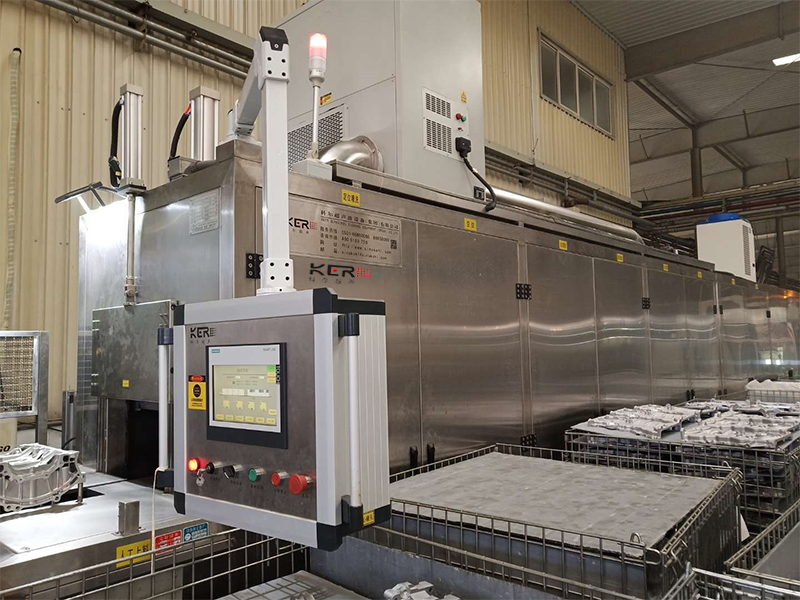
After power on, the time is displayed as the last set time. Press the "set" key once, and the displayed value of minute flashes. Adjust the knob to set the minute. Press the "setting" key again, the displayed value will flash, and the adjustment knob can set for seconds. After adjusting the values of minutes and seconds, stop the 5-second time setting. Press the "ultrasonic" key once to start the ultrasonic. Press it again to pause the ultrasonic.
3.2 设置温度
3.2 setting temperature
开机后温度显示为上次设置温度,连续按“设置键",直至温度显示数值为闪烁状态,调节旋钮至所需温度后停止,5秒钟后温度设置完成。按“加热”键一次,启动加热功能,再按一次暂停加热,红色温度图标常亮。
After startup, the temperature is displayed as the last set temperature. Press the "set key" continuously until the temperature display value is flashing. Adjust the knob to the required temperature and then stop. After 5 seconds, the temperature setting is completed. Press the "heating" key once to start the heating function, press it again to pause heating, and the red temperature icon is always on.
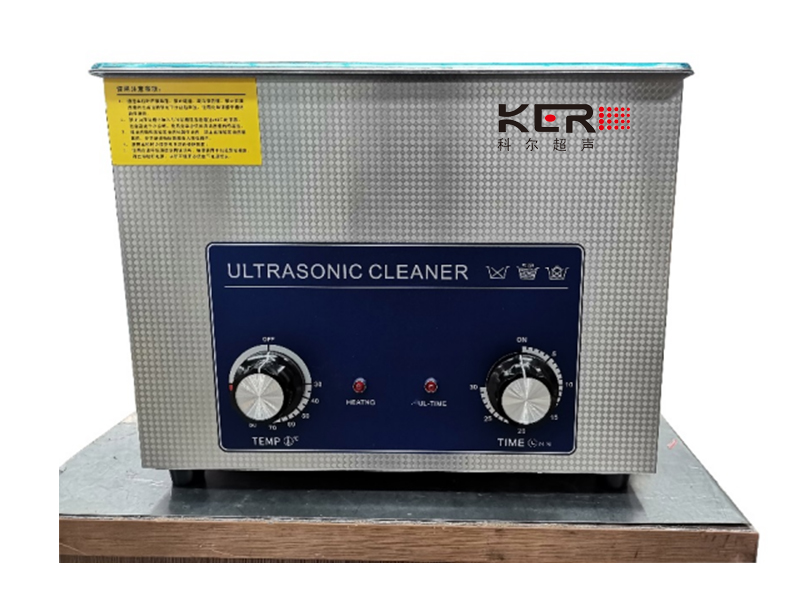
实验室超声波清洗仪器操作面板
Laboratory ultrasonic cleaning instrument operation panel
4、频率切换、脱气功能
4. Frequency switching and degassing function
4.1 频率切换(仅限D系列双频机型)
4.1 frequency switching (only for D-series dual band models)
开机后频率显示为上次设置频率,按“频率”键一次即可切换频率。例如:28或45、45或80之间互相切换,具体需看使用何种机型。
After power on, the frequency is displayed as the last set frequency. Press the "frequency" key once to switch the frequency. For example: switch between 28 or 45, 45 or 80, depending on which model is used.
4.2 脱气功能(仅限D系列单频机型)
4.2 degassing function (only for D-series single frequency models)
按“脱气”键一次,启动脱气功能,仪器将以工作9秒停6秒的工作方式循环进行。此功能可将清洗时产生的空气排出,提升清洗效果。
Press the "degassing" key once to start the degassing function, and the instrument will cycle in the working mode of working for 9 seconds and stopping for 6 seconds. This function can discharge the air generated during cleaning and improve the cleaning effect.
5、关机
5. Shut down
按“超声”键一次,超声停止工作,关闭实验室超声波清洗仪器背部总电源开关,然后拔掉电源插头,排出清洗液,将内槽擦拭干净。
Press the "ultrasonic" key once, the ultrasonic stops working, turn off the main power switch on the back of the laboratory ultrasonic cleaning instrument, then unplug the power plug, discharge the cleaning fluid, and wipe the inner tank clean.
上一篇:超声波清洗机辅助装置有哪些?
下一篇:单槽超声波清洗机使用要注意什么?
相关文章
-
台式超声波清洗机的日常维护需要注意什么? 2026-09-14
-
通过式清洗机:产线清洗的通用平台 2026-09-12
-
高压去毛刺清洗机以水代刀的精密处理方案 2026-09-10
-
碳氢清洗机是环保清洗机的重要组成! 2026-09-07
-
多槽式超声波清洗机如何实现批量清洗的出色与零残留双重保障? 2026-09-05
-
多槽式超声波清洗机为何成为工业精密清洗流水线的标配? 2026-09-03
-
工业清洗提质增效!全自动超声波清洗机使用优势与保养指南 2026-09-01
-
真空技术:让碳氢“脱胎换骨”的魔法! 2026-08-29
-
高压去毛刺清洗机相当于用水刀削掉金属毛刺 2026-08-26
-
CNC高压清洗机:给精密零件做深层级别的清洗 2026-08-24



 鲁公网安备37011202000628号